Copy. Carry on.
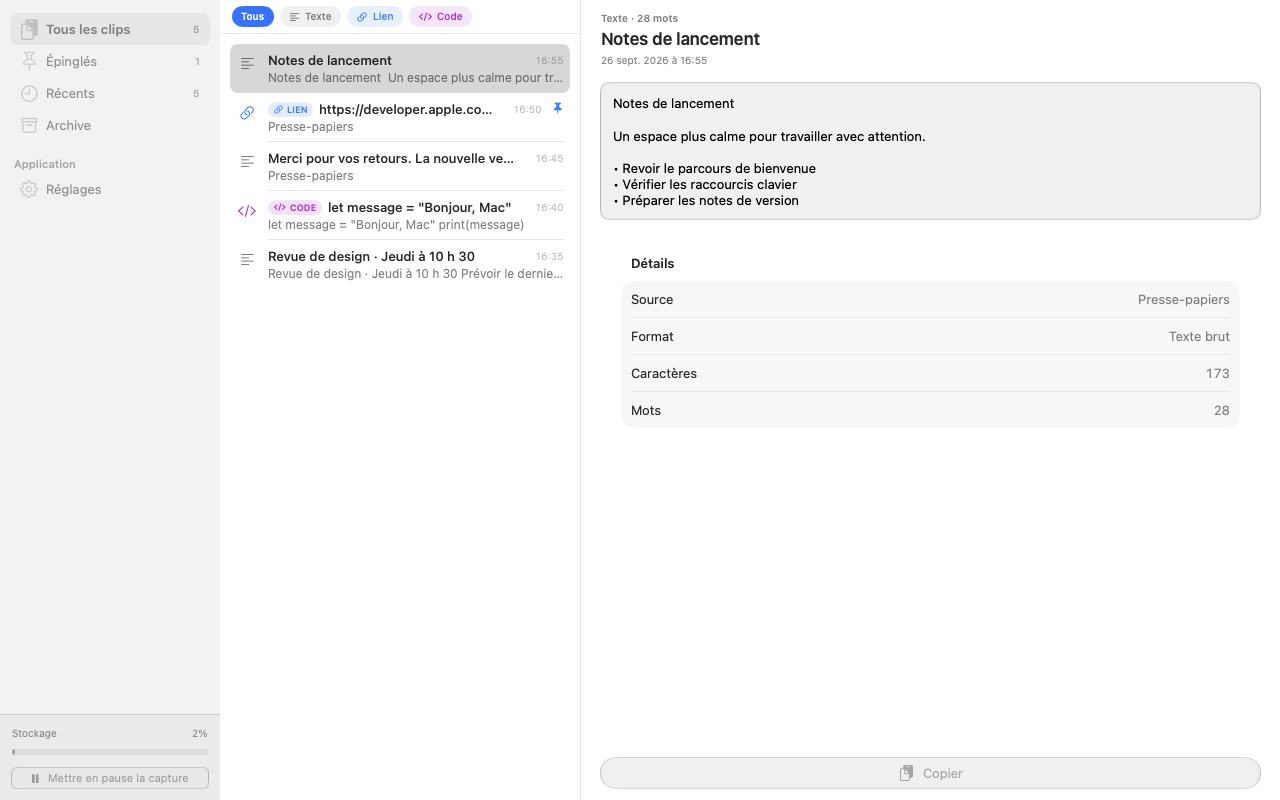
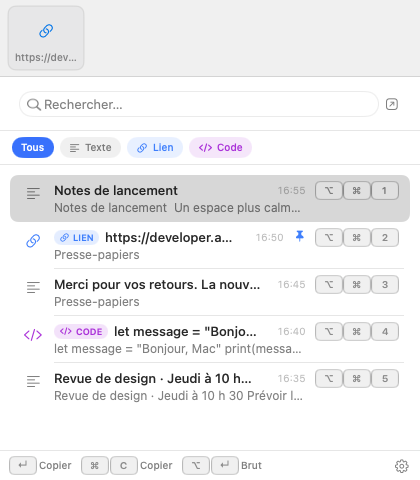
Keep your habits. A shortcut brings up your recent copies, so you can stay focused on what you’re doing.
A clipboard that keeps up with your ideas
A note, a link, an image. Find what you copied, right when you need it.
Coming to the Mac App Store · macOS 14 or later
Less searching. More flow.
Klypto keeps your copies close, without changing how you work.
Keep your habits. A shortcut brings up your recent copies, so you can stay focused on what you’re doing.
Search titles, text and, if you enable it, the text inside images. Jump straight to the passage you need.
Sort clips into spaces. Group your next copies in a session. Keep everyday replies ready as snippets.
A little intelligence. A lot of clarity.
Klypto can suggest titles and help classify clips using Apple’s models, on your Mac. You stay in control: rename, regenerate, or return to the original title.
AI features require a compatible Mac and macOS version with Apple Intelligence enabled. Availability also depends on language. Other features remain usable without AI.
Privacy, by design
Your clipboard holds a little of your life. Klypto keeps your history in an encrypted local database and lets you choose which features to enable.
See how your data is protected →No Klypto account to create. No automatic upload of your history to the developer.
Pause capture, exclude apps and mark sensitive content. Automatic detection is not perfect.
Text syncing through iCloud and encrypted backups are optional. Images and files stay local when syncing.
A simpler kind of pricing.
One offer for all current Klypto features. No extra subscription in your everyday life.
AI is included on compatible Macs. Your purchase does not promise all future major versions for free.
€19.99 one-time purchase
Then €29.99 · Planned standard price
Planned offer for the first month of sales in France. Final and regional prices will appear on the App Store. No payments are taken on this website.
No. Copy and paste as usual. Klypto keeps a history so you can find things you copied earlier.
Yes. History, search, spaces, snippets and OCR work without Apple’s models. Only compatible AI features depend on them.
iCloud syncing covers non-sensitive text, dates, pins and archive status. Images, files, spaces and sessions stay local. A full backup lets you transfer them.
No Klypto account or subscription is planned. Purchases will use your Apple Account on the Mac App Store. iCloud is optional.
Klypto is being prepared for its first release. The Mac App Store link will appear here as soon as the app is available.